Best Gaming Keyboards for RGB Setups 2026: What Reviewers Agree On
Corsair K100 RGB
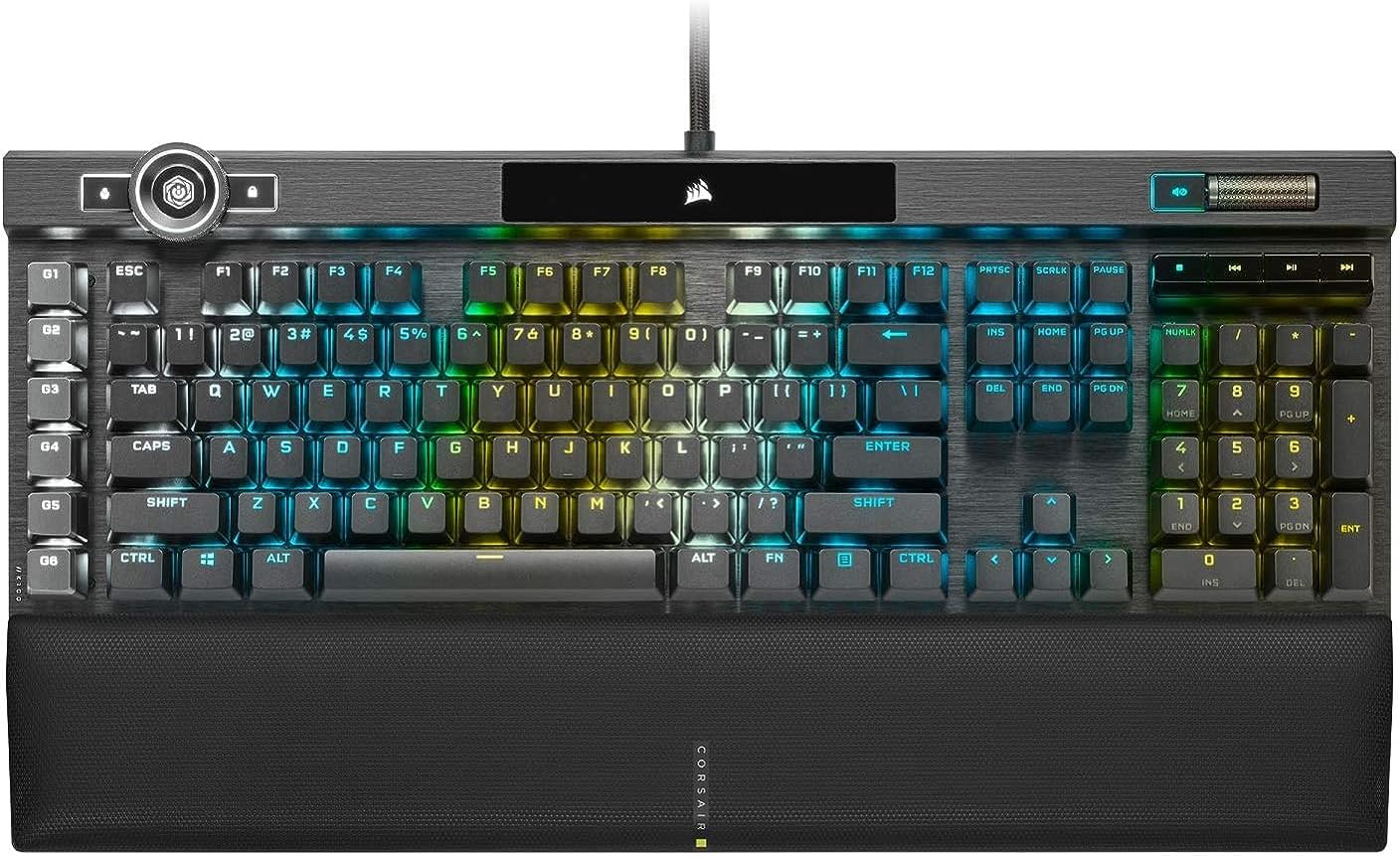
It's the only board here that three separate testers single out for its lighting. RTINGS calls it the best RGB keyboard it has tested: it has 44 lighting zones, including LightEdge strips along both sides and the top edge, and lighting around the dial, which also switches lighting profiles and brightness right on the board. Every zone and key can be programmed in iCUE and synced with other Corsair gear. IGN (9/10) says the brushed aluminum plate lets the RGB flood under the exposed keycaps, and TweakTown (94%) singled out the ambient glow from LightEdge. RTINGS also measured consistent, split-millisecond latency, so it isn't just for show. The downsides are the price (about $250 at launch) and Corsair's software, which IGN found a bit of a pain to navigate.
📺 Show 5 review videos
Watch Video
Watch Video
Watch Video
Watch Video
Watch Video
📊 Quick Comparison
| # | Product | Recommended By | Best For | Price |
|---|---|---|---|---|
| 1 | Corsair K100 RGB | 3/5 reviewers | Maximum RGB: per-key lighting plus edge strips, synced across a Corsair setup | $130-250 |
| 2 | SteelSeries Apex Pro Mini Wireless | 2/5 reviewers | Bright per-key RGB in a small wireless 60% board | $120-190 |
| 3 | Razer BlackWidow V4 Pro | 1/5 reviewers | Full desk glow: underglow that continues into the wrist rest | $185-230 |
| 4 | NuPhy Halo75 V2 | 1/5 reviewers | Wraparound case lighting on a typing-focused 75% board | $120-130 |
| 5 | Ducky OK-M | 1/5 reviewers | Budget RGB with side lighting zones | $75-85 |
💬 Reviewer Consensus
Common Pros
- Corsair K100 RGB: Edge-strip LightEdge glow plus per-key RGB that floods under the keycaps (3/5 mention)
- SteelSeries Apex Pro Mini Wireless: Bright, vibrant per-key RGB in a 60% shell (2/5 mention)
- Razer BlackWidow V4 Pro: Underglow that continues into the wrist rest for one continuous band of light (1/5 mention)
- NuPhy Halo75 V2: Lighting wraps around the whole board through a translucent case (1/5 mention)
- Ducky OK-M: Attractive RGB with side zones at a budget price (1/5 mention)
Common Cons
- Corsair K100 RGB: Expensive at launch, and the software is a pain to navigate (2/5 mention)
- SteelSeries Apex Pro Mini Wireless: Secondary-function legends are unlit or hard to see, and SteelSeries GG needs work (2/5 mention)
- Razer BlackWidow V4 Pro: ABS keycaps may not last, and customization depends heavily on software (1/5 mention)
- NuPhy Halo75 V2: Stock keycaps lack shine-through legends, so they're hard to read in the dark (1/5 mention)
- Ducky OK-M: Fewer lighting options, no cross-device sync, and some case flex (1/5 mention)
⚠️ Real-World Pain Points (from hands-on reviews)
- Bright cases don't always mean readable keys. RTINGS found the NuPhy Halo V2's stock keycaps have no shine-through legends, which makes them hard to read in a dark room. Tom's Hardware and Windows Central both found the Apex Pro Mini's secondary-function legends unlit or hard to see.
- The lighting is only as good as the app that runs it. IGN found Corsair's software a bit of a pain to navigate, Tom's Hardware says the BlackWidow V4 Pro's customization depends heavily on Razer's software, Windows Central says SteelSeries GG needs updates to get the most out of the Apex Pro Mini's RGB, and RTINGS notes Ducky's app can't sync lighting with other peripherals.
- RGB and wireless battery life work against each other. RTINGS says its RGB list is mostly wired boards because custom lighting drains wireless batteries quickly, and Windows Central had to turn the Apex Pro Mini Wireless down because full brightness was too bright at night and shortened battery life.
🔍 Detailed Breakdown
Corsair K100 RGB
RTINGS' best RGB keyboard, IGN's best full-size gaming keyboard (9/10) and a 94% TweakTown review. All three describe a light show that goes past the keys: RGB strips along the sides and top edge that TweakTown says give the whole board an ambient glow, and an aluminum plate that IGN says lets light flood under the keycaps. Each zone and key can be set in iCUE, and RTINGS notes the lighting syncs with other Corsair hardware. The trade-offs are the high launch price, a large footprint, and software that IGN calls a bit of a pain to navigate.
Best for: Maximum RGB: per-key lighting plus edge strips, synced across a Corsair setup - $130-250
SteelSeries Apex Pro Mini Wireless
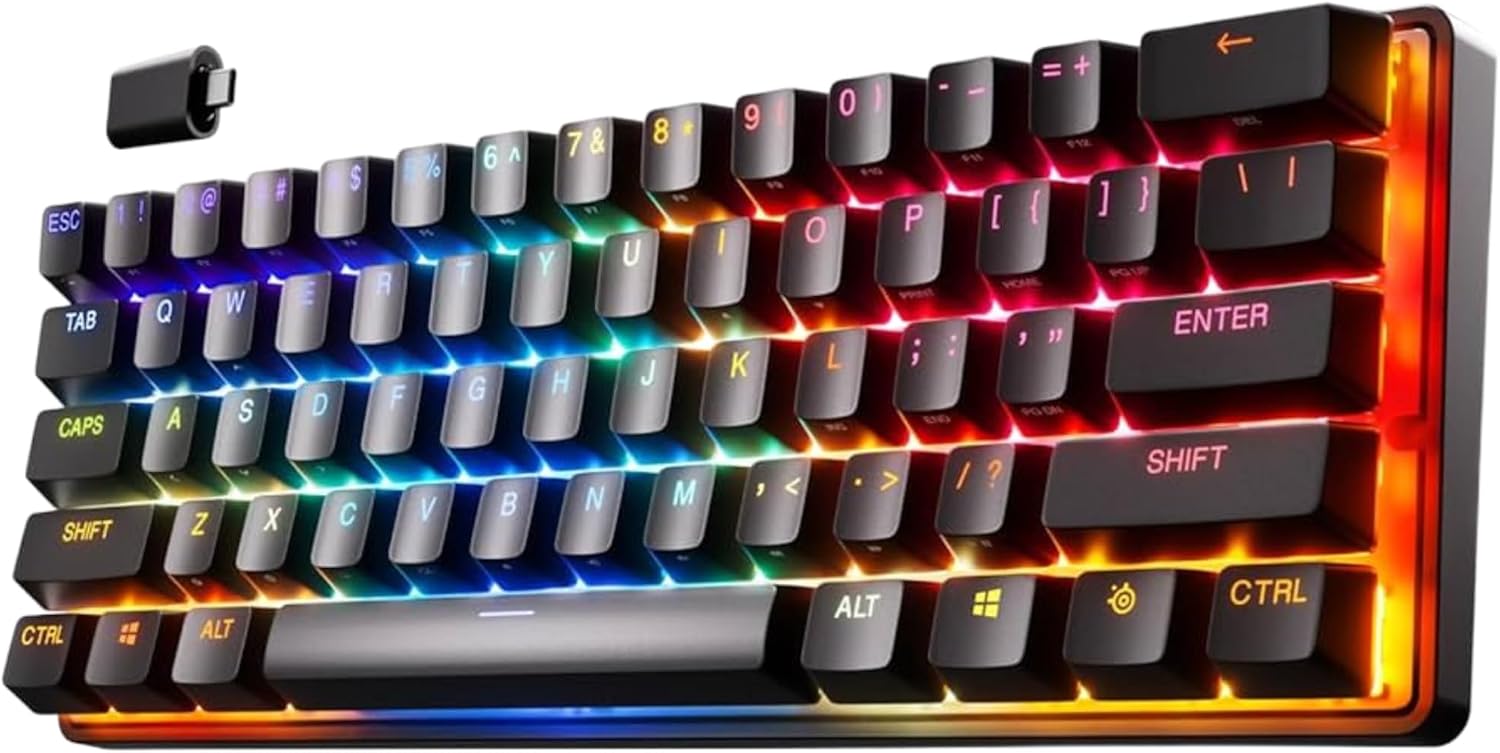
Tom's Hardware's best mini gaming keyboard (lists bright, attractive RGB as a pro) and a 4.5/5 Windows Central review that praises its vibrant per-key RGB. The Windows Central reviewer turned the brightness down because the maximum setting was too bright at night and also shortened wireless battery life. Both outlets note that the secondary-function legends aren't lit or are hard to see, and both say SteelSeries GG needs work: it has bugs, according to Tom's Hardware, and needs updates to get the most out of the lighting, according to Windows Central.
Best for: Bright per-key RGB in a small wireless 60% board - $120-190
Razer BlackWidow V4 Pro
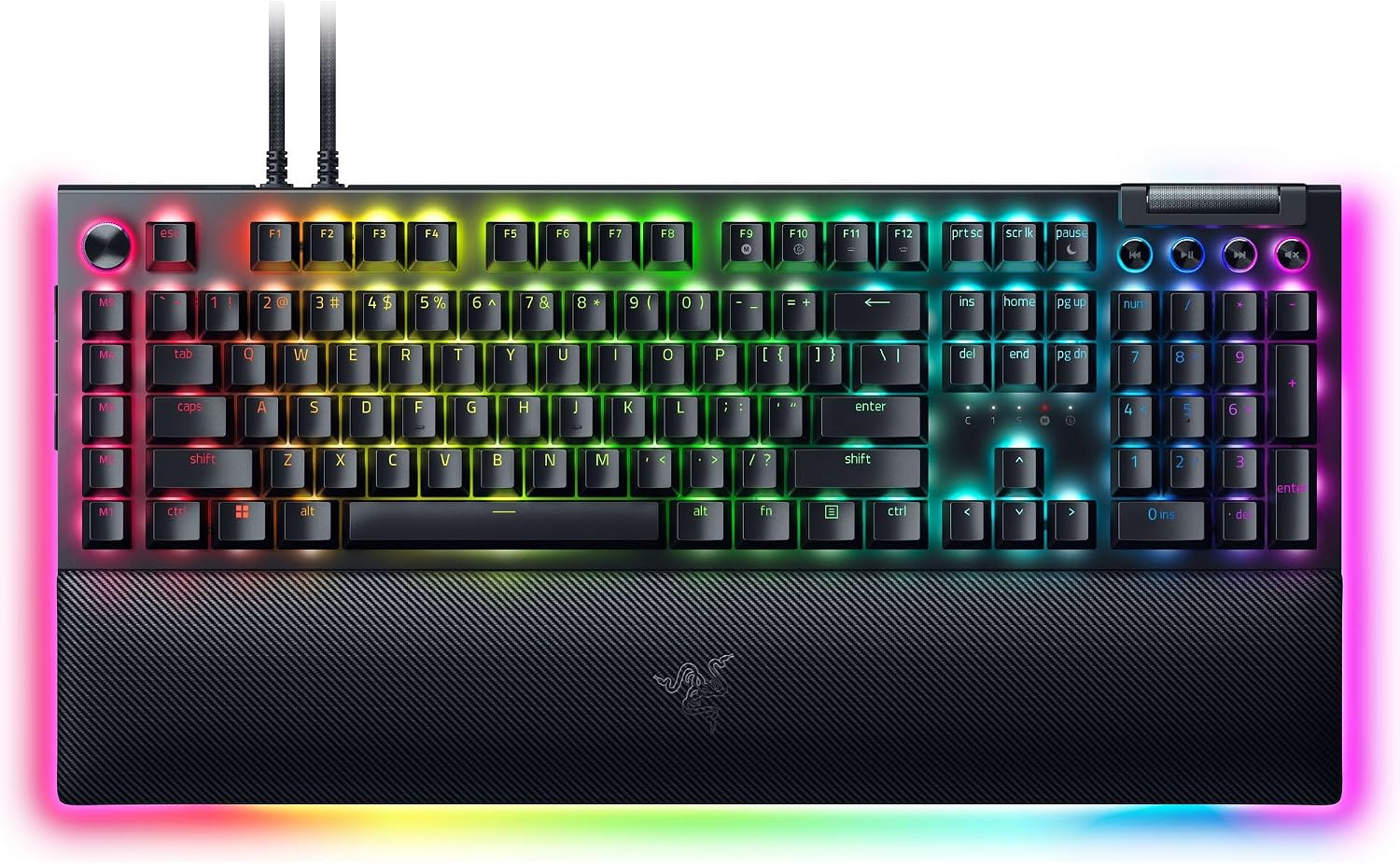
Tom's Hardware's best full-size gaming keyboard (4/5), with what it calls extra-glowy RGB. Besides per-key lighting, the keyboard's 18-zone underglow continues into the magnetic wrist rest through a 5-pin connector, adding 20 more zones for one continuous band of color. Because it's wired, the lighting never drains a battery. The reviewer's complaints: ABS keycaps that may not last, macro keys disabled by default, and customization that depends heavily on Razer's software. Tom's Hardware also calls it a little pingy when typing.
Best for: Full desk glow: underglow that continues into the wrist rest - $185-230
NuPhy Halo75 V2
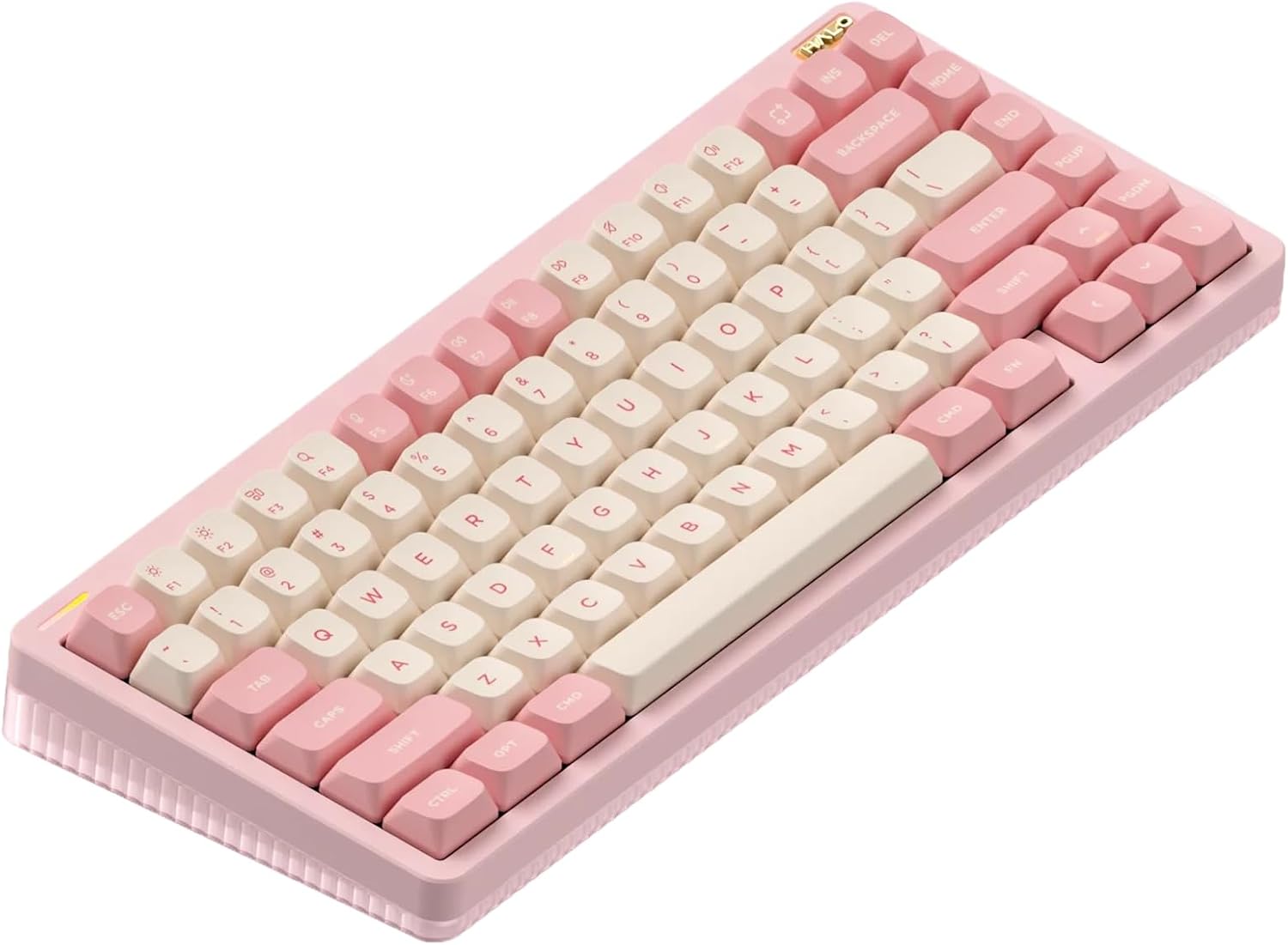
RTINGS' upper mid-range RGB pick. It tested the Halo96 V2 and Halo75 V2 together and says they have an outstanding RGB implementation, with lighting zones that wrap around the whole board through a translucent plastic bottom case. NuPhy's software lets you adjust brightness, color and effects. The main catch for night use: the stock keycaps don't have shine-through legends, so only the F and J homing bars light up, and shine-through keycaps cost extra. RTINGS highlights the 96% version for the most extensive lighting.
Best for: Wraparound case lighting on a typing-focused 75% board - $120-130
Ducky OK-M
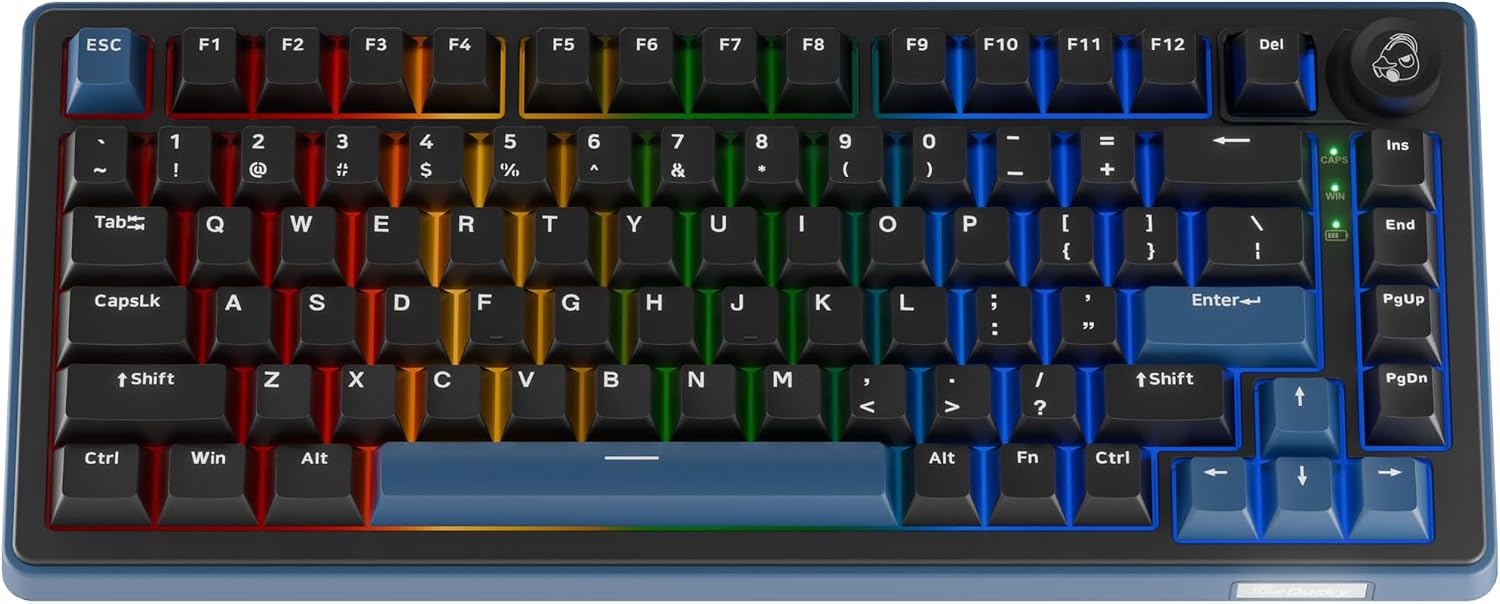
RTINGS' best budget RGB keyboard. Every size has the same attractive backlighting plus side zones that cast extra color across the desk. The Black colorway comes with shine-through keycaps if you want legends you can read in the dark. The software is easy to use but has fewer lighting options than NuPhy's and can't sync with other peripherals the way Corsair's iCUE can. RTINGS also found more case flex and key wobble than on pricier boards.
Best for: Budget RGB with side lighting zones - $75-85
Also considered
We compared 5 products. Corsair K100 RGB won overall — the rest are strong in narrower niches:
- SteelSeries Apex Pro Mini Wireless — Bright per-key RGB in a small wireless 60% board (2/5 reviewers)
- Razer BlackWidow V4 Pro — Full desk glow: underglow that continues into the wrist rest (1/5 reviewers)
- NuPhy Halo75 V2 — Wraparound case lighting on a typing-focused 75% board (1/5 reviewers)
- Ducky OK-M — Budget RGB with side lighting zones (1/5 reviewers)
📖 Confused by the specs? Plain-English explanations
❓ Frequently Asked Questions
Why is the Corsair K100 RGB our top pick?
Our Pick: Corsair K100 RGB
It's the only board here that three separate testers single out for its lighting. RTINGS calls it the best RGB keyboard it has tested: it has 44 lighting zones, including LightEdge strips along both sides and the top edge, and lighting around the dial, which also switches lighting profiles and brightness right on the board. Every zone and key can be programmed in iCUE and synced with other Corsair gear. IGN (9/10) says the brushed aluminum plate lets the RGB flood under the exposed keycaps, and TweakTown (94%) singled out the ambient glow from LightEdge. RTINGS also measured consistent, split-millisecond latency, so it isn't just for show. The downsides are the price (about $250 at launch) and Corsair's software, which IGN found a bit of a pain to navigate.
$130-250
🔍 We're manually verifying this product's purchase link — check back soon.